
Introduction
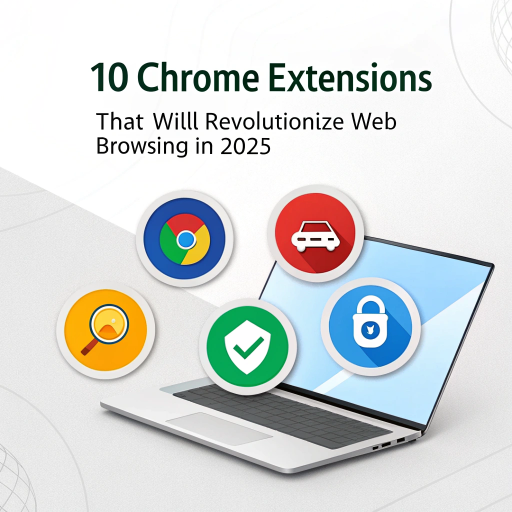
Best Chrome Extensions 2025 can completely transform your browsing experience, making it faster, smarter, and more productive. Whether you’re a student, content creator, or professional, these extensions help you save time, organize tasks, protect privacy, and boost performance.Your browser is your daily workspace — and Chrome extensions can supercharge it.
Whether you’re a student, content creator, or business user, extensions can help you save time, stay organized, protect your privacy, and boost performance.
In this Tecmintly productivity guide, we’ve handpicked the 10 best Chrome extensions for 2025 that will truly change the way you browse the internet.
Also Read on Tecmintly:
15 Best Free AI Tools to Boost Productivity in 2025
How to Speed Up a Slow Laptop — 10 Proven Fixes (Windows & Mac)
1. Grammarly
Best For: Writing, emails, and blogs
Grammarly is still the go-to AI-powered writing assistant. It corrects grammar, tone, and clarity in real-time — right inside Chrome.
Use it for: Emails, documents, and social media posts
Bonus: The “GrammarlyGO” feature generates content automatically
Install Grammarly Chrome Extension
2. uBlock Origin
Best For: Ad blocking and faster browsing
uBlock Origin is a lightweight, open-source ad blocker that improves speed, privacy, and battery life by blocking trackers and heavy scripts.
Benefit: No ads = faster page loading
Alternative: AdGuard
3. Save to Notion
Best For: Saving content, articles, and research
If you use Notion, this extension is a must-have. It lets you save webpages, screenshots, or highlights directly into your Notion workspace.
Perfect for: Students, writers, and researchers
Tip: Use tags and databases for better organization
4. Momentum
Best For: Focus and motivation
Momentum transforms your Chrome new tab into a beautiful dashboard with a to-do list, daily quote, and personal goals.
Benefit: Reduces distraction while browsing
Pro Tip: Sync it with your productivity routine for daily focus
5. ChatGPT for Chrome
Best For: Instant AI help while browsing
This extension lets you access ChatGPT directly from your browser — summarize pages, generate replies, or find quick answers.
Use Case: Right-click any text → “Ask ChatGPT”
Bonus: Works with Google search results too
6. Dark Reader
Best For: Eye comfort & nighttime browsing
Dark Reader enables dark mode on every website, even those without native dark themes.
Benefit: Reduces eye strain and improves battery life
Tip: Adjust brightness, contrast, and sepia for comfort
7. OneTab
Best For: Managing too many open tabs
Tired of dozens of Chrome tabs slowing your laptop? OneTab converts all your open tabs into a single list — reducing memory usage by up to 95%.
Pro Tip: Save tab sessions by topic (e.g., research, work, entertainment).
8. LastPass
Best For: Password management & security
LastPass securely stores and auto-fills your passwords across all websites. It also generates strong passwords for better protection.
Benefit: Save time logging into multiple sites
Alternative: Bitwarden (open-source)
9. Loom
Best For: Screen recording & tutorials
Loom is perfect for creating quick video messages, demos, or feedback clips. With one click, you can record your screen and share instantly.
Use it for: Team communication, tutorials, or content creation
Free plan: Includes 5-minute video limit (perfect for short guides)
10. Toggl Track
Best For: Time tracking & productivity
Toggl helps you track how much time you spend on websites and projects. It’s ideal for freelancers, students, and professionals managing remote work.
Pro Tip: Set project timers directly from the browser toolbar
Integration: Works with Asana, Trello, and Notion
Bonus: Top AI-Powered Chrome Extensions for 2025
If you want to explore the future of browsing, try these emerging AI add-ons:
Compose AI: Auto-completes sentences while typing
Merlin: Summarizes YouTube videos & articles using ChatGPT
Wiseone: Adds AI insights to any article you read
Quick Comparison Table
| Extension | Best For | Free Plan |
| Grammarly | Writing & grammar | |
| uBlock Origin | Ad blocking | |
| OneTab | Tab management | |
| Notion Web Clipper | Research saving | |
| Loom | Screen recording |
Security Tip:
Only install extensions from the official Chrome Web Store.
Avoid those asking for unnecessary permissions like “Access all data on every site.”
Conclusion
Your browser should work for you — not against you.
By installing these 10 Chrome extensions, you’ll make your browsing faster, cleaner, and more productive in 2025.
Whether you want AI help, fewer ads, or organized tabs, these tools transform Chrome into a smart digital workspace.
Also Read on Tecmintly:
15 Best Free AI Tools to Boost Productivity in 2025
How to Speed Up a Slow Laptop — 10 Proven Fixes (Windows & Mac)